Zenix
One request.A whole workspace.
Bring identity, access policy and compute together. Give each person a workspace built around an approved profile.
Begin with a workspace request.
A person requests an environment for their work. The request enters the same orchestration process as identity, networking and resources.
- An approved profile for each kind of work
- Identity, networking and compute in one workflow
- Resource utilization alongside user experience
Made for the work.
Changes the way.
Three places where Zenix turns complexity into a clear next step.
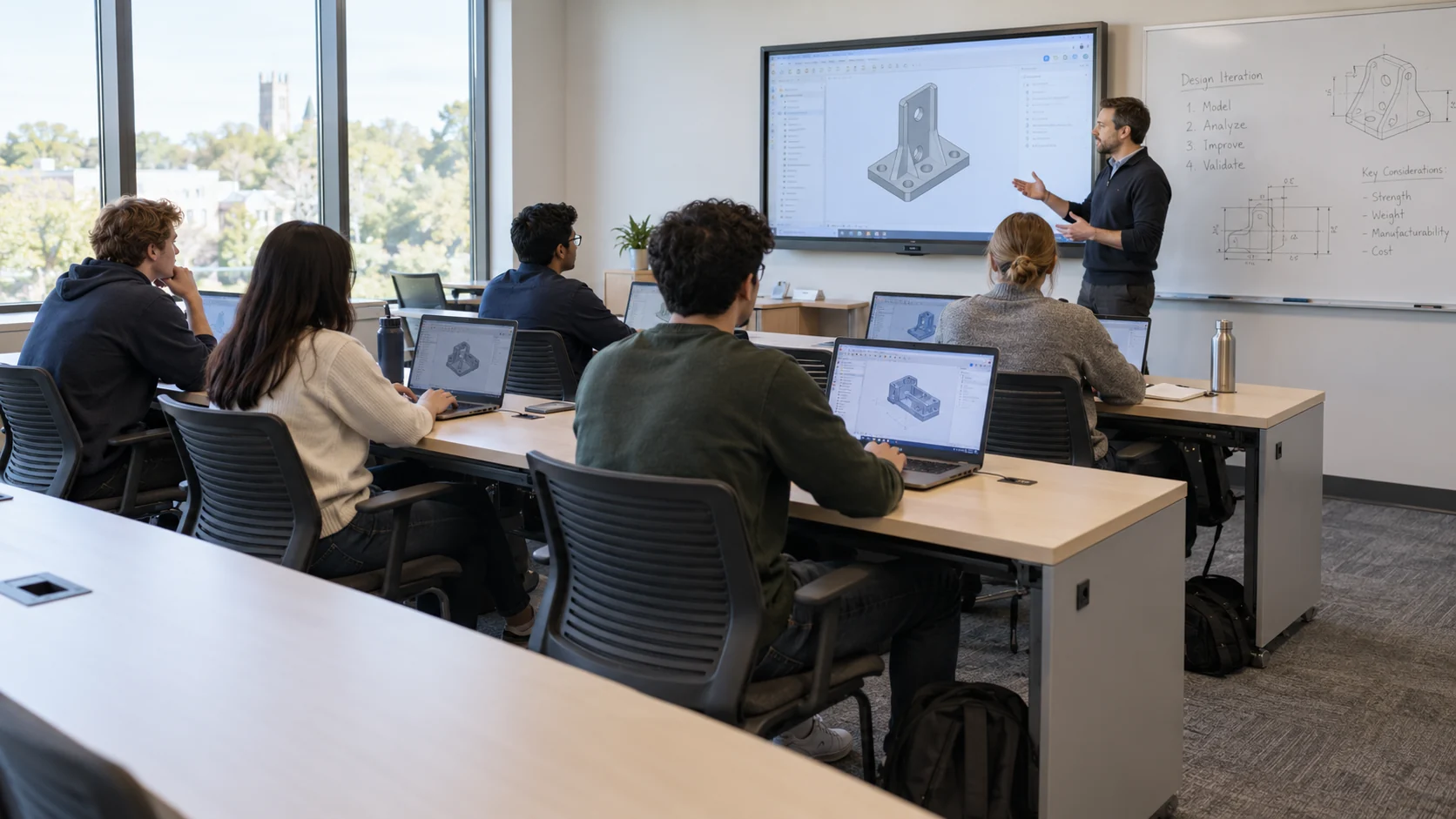
A whole class.Ready to work.
- The challenge
- An academic lab needs consistent environments for a new student cohort.
- The product at work
- The compute administrator defines a group, Gold Image, quota and permissions. Participants enter through the browser while IT monitors health and usage.
- What changes
- Requests follow the same profile, with a way for the administrator to track allocations throughout the course.

Give researchroom to compute.
- The challenge
- Teams need access to expensive resources but have different periods of demand.
- The product at work
- Define quotas and profiles, inspect allocations and utilization and review resources flagged as idle. The workload owner agrees to the reclamation policy.
- What changes
- Allocation and reclamation decisions use both usage and ownership, accounting for long-running jobs in the background.

A new teammate.A prepared workspace.
- The challenge
- A new employee needs an account, network access and a development environment prepared for the role.
- The product at work
- The request applies an approved profile, connects identity and permissions to provisioning and provides an entry point. IT reviews provisioning and handles exceptions.
- What changes
- Users and operations share a continuous process from request through use and support.
A focused system.
Part of a bigger picture.
Zenix connects a user request to identity, networking, a machine and access. IT defines profiles and policy; users receive a workspace appropriate to their role. GPU management sits within the broader process of provisioning and using infrastructure.
The workspace layer.
Zenix turns the infrastructure available to an organization into workspaces people can actually use. Titans teams define the roles, resource profiles and access policies with IT, then connect them into a repeatable service. That gives research, engineering and everyday operations a common route from request to support.
01The complete workflow
+
Illustrative workflow: a researcher joins a team needing a GPU environment. An existing IT profile guides provisioning, access, support and utilization review. No customer, hardware specification or completion time is implied.
Prepare the workspace profile
An administrator selects a managed image and defines CPU, memory, GPU and storage requirements with the relevant role and group. The service owner agrees eligibility and resource limits.
The team has a repeatable workspace definition, with eligibility, limits and any approval requirement established for the project.
Connect identity and network access
The researcher submits a request. Provisioning creates or connects the required identity, group membership and role-based network rules for the agreed environment.
Identity and access are tied to the workspace. The provider connection and handling of existing accounts are verified during implementation.
Allocate the working environment
The profile supplies requirements for the virtual machine and GPU allocation. Infrastructure owners check that the hardware, virtualization and storage can provide the environment.
The environment is associated with its user. The project defines the response to unavailable resources or a failed provisioning stage.
Enter and use the workspace
The user enters through the browser without a dedicated client. Operations reviews activity and utilization; problems can be reported through tickets or internal chat.
The workspace has access and support routes. Repeated tasks may use the IT agent within the boundaries agreed for that request type.
Review continued resource use
Operations checks underused resources with the workload owner. Long-running computation, data preservation and release policy are considered before a recommendation or automated reclamation takes effect.
Capacity decisions remain tied to usage and ownership. An idle signal requires assessment rather than proving that work has finished.
The request connects identity, resources, access and support in a defined workspace process. Completion, failure handling and reclamation rules are validated in the selected environment.
02The capabilities inside
+
User onboarding and identity
Account creation, group membership and role permissions connect to the provisioning request. IT defines the rules once and reuses them for subsequent requests.
- Input
- A user request, the selected profile and the relevant role or group.
- Output
- An identity and permission context linked to provisioning, rather than an account handled separately from the workspace.
Profile-based network access
Network configuration and access rules are set as part of the user environment. Policy connects identity to permitted resources, extending provisioning beyond creating a machine.
- Input
- The user’s role, permitted resources and the network requirements of the profile.
- Output
- Workspace access rules and network configuration associated with the user’s environment.
Compute profiles
CPU, memory, GPU and storage templates define what a team, course or role receives. Quotas and group assignments support allocation according to need and ownership.
- Input
- A predefined CPU, memory, GPU and storage requirement for the selected kind of work.
- Output
- A virtual-machine allocation shaped by that profile, with its availability checked against the actual infrastructure.
Shared GPU management
Allocation, utilization and load views connect hardware to the people using it. Infrastructure teams can review available capacity, workloads and expansion requests in context.
- Input
- GPU allocations and usage signals associated with users and workloads.
- Output
- Visibility into sharing, utilization and load, supporting capacity decisions and investigation of resource pressure.
System images and versions
Gold Images provide a managed starting point for repeatable workspaces. Set an image version per profile and assess an update with a representative group before expansion.
- Input
- A managed Gold Image and the version selected for a workspace.
- Output
- A repeatable system baseline. The team defines how updates are checked and introduced to existing environments.
Browser workspaces
Users enter their workspace through the browser without a dedicated client. Identity and permissions continue to govern access to the desktop or research environment.
- Input
- The user’s identity, access permissions and provisioned machine.
- Output
- An entry path to the working environment through the browser, with organizational browser and network requirements checked.
Support and IT agent
Tickets and chat connect users to operations. The IT agent assists with recurring tasks such as token renewal and session resets, within the action boundaries defined for each request type.
- Input
- A reported problem and the account or workspace context needed to address it.
- Output
- A support case or a permitted agent action, such as token renewal or session reset, with operational accountability.
Monitoring and capacity reclamation
Dashboards show usage and trends and identify underused machines or GPUs. Capacity returns to the pool automatically or through an approval recommendation, according to workload policy.
- Input
- Activity, resource utilization and the agreed rules for identifying unused capacity.
- Output
- Usage views and reclamation recommendations or configured actions, subject to workload protection and data-preservation decisions.
03The information that stays connected
+
These information objects connect the workspace process. Their exact fields, retention and integration formats are established for the project; this is not an API specification.
Users, groups and permissions
User identity, role and group membership connect access rights to the environment. Zenix describes policy changes across identity, networking and resources.
Establishing who can request, enter or administer a workspace and reviewing changes to those rights.
Profiles and system images
A resource profile defines the intended compute allocation. A managed image and its version provide the system baseline for repeated workspace requests.
Preparing consistent environments and reviewing the effect of a profile or image update.
Allocated environments and resources
Machines, GPU allocations, storage and access belong to an environment associated with a user. Public privacy information also identifies allocation and configuration records.
Connecting infrastructure use to ownership and deciding whether capacity should remain assigned.
Usage, support and audit
Activity, utilization, operational logs and user messages inform dashboards and support. The agent also describes explanations and audit records for its actions.
Investigating a problem and checking the evidence behind an action or resource recommendation.
04Connections to your existing systems
+
Identities and groups
Map existing identities to groups, roles and permission owners. Identity-provider integration and user departure handling are checked before enabling self-service.
Compute, GPU and storage
Check hardware, virtualization, drivers and storage against the required profiles. An explicit compatibility list precedes rollout; support for every configuration is not assumed.
Monitoring systems
Usage data can connect to monitoring tools such as Grafana, Prometheus and OpenTelemetry. Define the metrics and events exported, their destination and the alert owner.
Network and browser access
Map group separation, access paths and workspace entry requirements. For isolated environments, also assess which components and services depend on external connectivity.
05Permissions, control and exceptions
+
Policy before self-service
Every profile has an owner, eligible users and a resource quota. A user request does not bypass permissions or capacity constraints.
Boundaries for the IT agent
Define permitted actions, approval requirements and human escalation. Permission changes and resource reclamation require explicit policies.
Isolation and operational visibility
Identities, segmentation and quotas link users to their resources. Activity logs and telemetry let the team review access grants and operations.
Responsible resource reclamation
Define when an environment is idle, which jobs are protected and how data is preserved before reclamation. Validate these rules with workload owners.
When things do not go to plan
Operations maintains profiles and images, reviews access and utilization, and follows support. The agent describes password resets, token renewals, quota extensions and session resets. The project defines automation and human escalation.
A provisioning stage remains incomplete
Creating an account does not establish that networking and compute have also completed. Validate how the actual installation exposes a partial request, retries safely and avoids duplicates. Compensation or rollback across systems is a requirement to check, not a published universal guarantee.
Requested capacity is unavailable
Infrastructure owners need a clear response when a requested profile cannot be allocated. Agree whether the user waits, changes the request or receives human help, and who owns that decision. Utilization views do not establish a published scheduling or queueing mechanism.
A resource looks idle while work continues
A quiet browser session or low momentary use may accompany a long-running job. Workload owners define the signals and exceptions used before reclamation, including preserving data. The product describes automatic release or recommendations; the safe operating policy belongs to the project.
An update or session problem affects work
Managed image versions and session-reset support are described. Test update impact and the permitted response to a stuck session with representative users. Define recovery and escalation for each action instead of assuming every update or agent operation can be undone.
06Implementation and organizational fit
+
Choose users and a profile
The service owner and infrastructure team select a trial group, workspace and success measure. The output is an agreed definition of a valid request.
Connect the provisioning chain
Map identity, networking, compute and storage into one profile. Validate quotas, permissions and browser entry with a representative user.
Exercise usage and exceptions
Exercise repeat requests, insufficient capacity, permission changes and idle resources. Agree what runs automatically and what goes to operations.
Expand with measurement
Add groups and profiles based on usage data. Establish routines for image updates, permission reviews and resource reclamation.
The deployment environment
- Runtime
- Sovereign facilities and isolated networks, with shared resource management across institutions.
- Access boundaries
- Role-based policy, quotas and tenant separation connect resources to authorized users.
- Bring to the conversation
- Compute and GPU inventory, user groups, required workspaces and allocation policy.
Define the workspace that must work
Check a specific group’s image, browser experience, GPU, drivers, virtualization, storage and networking together. General descriptions of compute allocation do not establish support for every hardware or software combination.
Check each connection in the provisioning chain
Grafana, Prometheus and OpenTelemetry are named publicly. Identity, network and compute connectors need compatibility checks, including data direction and failure behavior. The public site does not supply a complete provider or adapter matrix.
Set automation and reclamation authority
Agree who may change rights, extend resources, reset a session or release capacity. Define agent permissions, approval points and human escalation for each action. Workload owners also establish idle rules, protected jobs and data preservation before resources return to the pool.
Agree deployment and service terms
Isolated environments are described as a use case, but deployment architecture and offline AI availability require confirmation. Document data locations, external dependencies, backups and access paths. Included capabilities and service commitments depend on the customer’s configuration and agreement; homepage metrics are not a project guarantee.
07Questions of fit
+
Is Zenix only a GPU management system?
No. It orchestrates identity, networking, machines, access and monitoring. GPUs are one resource type that can be included in a workspace profile.
What must the user install?
Workspace access runs in the browser without a dedicated client. Organizational browser, network and access requirements are checked in advance.
Who decides when a GPU returns to the pool?
Infrastructure teams define the policy with workload owners. Reclamation may use approval recommendations or configured automation; idle resources must be distinguished from long-running computation.
What must be checked in our existing infrastructure?
GPU types, drivers, virtualization, storage and networking, alongside the required workspaces. Compatibility is assessed against a real configuration and selected profile.
How do we assess pilot success?
Define workspace preparation time, request completion, access quality and utilization in advance. Compare before and after for the same user group, keeping targets distinct from guarantees.
08Documentation and further reading
+
- Request-to-workspace concept ↗ — opens in a new tab
- Capabilities and monitoring ↗ — opens in a new tab
- IT agent and human control ↗ — opens in a new tab
- Information and protection ↗ — opens in a new tab
- Configuration and service scope ↗ — opens in a new tab
- Compute for research and academia ↗
- Experience in research computing ↗
- Controlled AI actions ↗
Connect it to your work.
Start with one workflow, its information and the people who know it. Define the path to implementation together.