ArchiFlow
See your network.Shape what’s next.
Discover devices and connections. Turn them into a living topology, then review and deploy changes from the same place.
Start with the network that is there.
Discover network devices and their connections without installing agents. The six device types remain connected to one discovery hub.
- Agentless discovery and topology documentation
- Template → comparison → approval → deployment
- Cloud, on-prem or disconnected deployment
Made for the work.
Changes the way.
Three places where ArchiFlow turns complexity into a clear next step.

Start with the networkthat is really there.
- The challenge
- A team takes responsibility for a site with equipment from several vendors and outdated diagrams.
- The product at work
- Define scan ranges and read credentials, discover devices and neighbors, review uncertain links and turn the results into an editable diagram.
- What changes
- The team gains a shared inventory and topology baseline that can be checked again in subsequent scans.

Review the change.Then make it happen.
- The challenge
- A common setting needs updating across switches without losing model-specific differences.
- The product at work
- Prepare a template, compare it with live state, obtain approval and run it on a canary set. Review results and differences before continuing deployment.
- What changes
- The change remains linked to the reviewed configuration and execution history, allowing the team to assess recovery if the result is unsuitable.
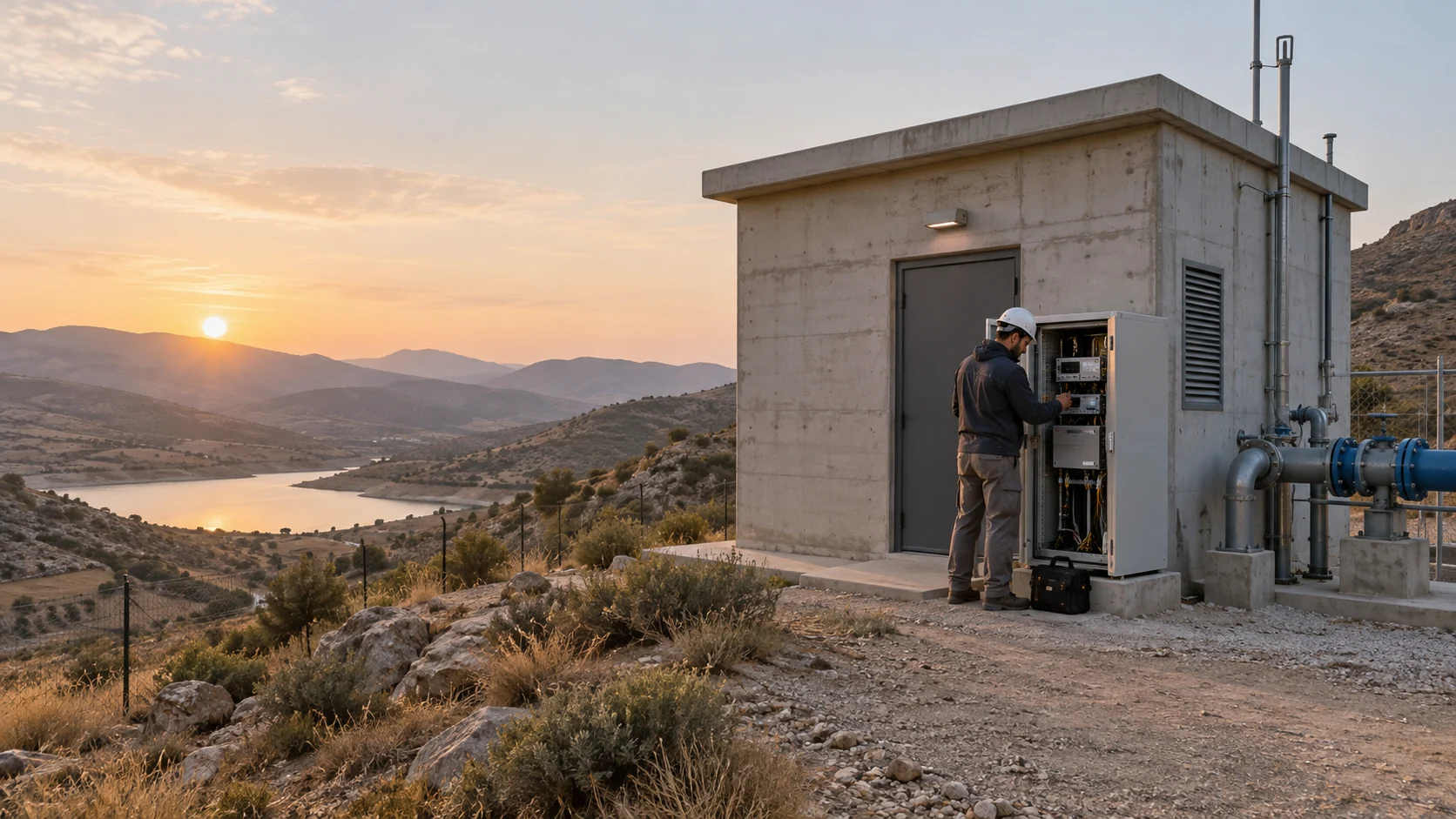
New equipment.The same shared context.
- The challenge
- A unit is retired and a local team installs its replacement with the operations center.
- The product at work
- Check spare inventory and the unit’s connections, transfer relationships to the replacement and verify topology and configuration after installation.
- What changes
- Documentation reflects the active unit and its replacement history, giving the next shift the same operational picture.
A focused system.
Part of a bigger picture.
A workspace for the network team: discover existing devices, build editable documentation and connect every change to configuration, addressing and execution history. Network operators can work with both the intended design and the observed estate.
The network foundation.
ArchiFlow gives Titans teams a shared view of the infrastructure they work inside: devices, links, addresses and configurations. During an engagement, that context connects network design to the people operating it. Discovery establishes the baseline; reviewed changes and living documentation keep it useful after deployment.
01The complete workflow
+
Illustrative workflow without customer data: a network team takes responsibility for a site with switches from several vendors and incomplete diagrams. It establishes what is connected before preparing and executing a common configuration change.
Define and discover the site
The network owner selects address ranges and permitted management paths. Scoped credentials let discovery identify equipment and retrieve neighbor information through the supported protocols.
An observed inventory and topology with link confidence are available for comparison with known equipment.
Review the working model
An engineer checks uncertain links, turns discovery into an editable diagram and completes missing site, address or connection information. Existing Excel records can pass through column mapping and validation.
The reviewed devices, connections and addressing provide the context for selecting the equipment affected by the change.
Prepare and compare configuration
The engineer selects a CLI or Jinja2 template and supplies the relevant device fields. Candidate configuration is compared with the running configuration before an authorized operator reviews the differences.
The proposed configuration and its differences can be reviewed in the context of the actual equipment.
Run a limited deployment
The operator approves a canary run on a selected device set. The team checks command output, including platform-specific CLI errors, before deciding whether the change should reach more equipment.
Execution history and configuration versions let the operator inspect what happened. Continuation and stopping rules follow the agreed change procedure.
Verify and hand over
The engineer reviews the resulting configuration and topology, records unresolved issues and schedules discovery again. If recovery is needed, the team uses the path tested for that device family and change.
The next shift can inspect the current model, the reviewed configuration and the run history together, with outstanding work identified.
The change leaves a reviewable chain from discovered equipment to proposed configuration and execution result. Recovery behavior, compatibility and acceptance criteria are established for the selected network.
02The capabilities inside
+
Network discovery and mapping
IP-range scanning and neighbor discovery through SSH, SNMP, CDP and LLDP connect devices and links into one topology. Link confidence helps operators distinguish observed information from relationships that need verification.
- Input
- Permitted IP ranges, reachable management paths and scoped device credentials.
- Output
- Device observations and neighbor relationships, with confidence that identifies links requiring an engineer’s check.
Live design and documentation
An editable diagram treats devices, connections and addresses as part of the network model. Turn discovery results into a shared design and refresh documentation through repeated scans.
- Input
- Discovery results, existing inventory and edits to devices, cables or addresses.
- Output
- An editable network model that connects the diagram to inventory and can be reviewed against a later scan.
IP addresses and prefixes
Manage addresses, prefixes and VLANs in the context of sites and devices. Allocation, bulk operations and utilization views create a structured foundation for the next network change.
- Input
- Known address space, prefixes and assignments associated with sites and equipment.
- Output
- Address allocations and utilization information that help the team prepare the next change without relying on separate lists.
Configuration templates
CLI and Jinja2 templates use device fields to prepare the appropriate configuration. A shared library and version history keep templates and their decisions available for repeatable work.
- Input
- A versioned CLI or Jinja2 template and values from the selected device.
- Output
- Device-specific candidate configuration, ready for comparison and review before deployment.
Backups, differences and drift
Capture running configurations and compare them with proposed changes. Version history and grouped differences across devices help identify drift and assess a recovery path.
- Input
- A captured running configuration and a candidate or earlier version.
- Output
- Configuration versions and grouped differences that provide evidence for drift review and recovery assessment.
Staged and scheduled deployment
Define a device set, change window and initial canary run. Execution history and command results help the team assess the change before extending it to the remaining equipment.
- Input
- Reviewed configuration, a device set, permitted timing and the initial canary scope.
- Output
- Run history and command results for deciding whether to continue, correct the change or investigate a failure.
Inventory, spares and replacement
Connect device, cable and power-supply inventory to sites and diagrams. Device replacement can carry interface, address and cable relationships into the new equipment while recording retirement of the old unit.
- Input
- Site inventory, available spare equipment and the old unit’s interface, address and cable relationships.
- Output
- A replacement record and transferred relationships in the network model, with the retired unit identified.
Collaboration and AI assistance
Shared editing and an activity log keep the network team in context. AI assistance can answer questions using network data and prepare changes for review. Cloud or local-model configuration depends on the version, runtime and data policy.
- Input
- Team activity, the open diagram and network information available to the user.
- Output
- Shared working context and AI answers or proposed changes for operator review. The available AI mode depends on the deployment.
03The information that stays connected
+
These working objects explain the information used in a task. Their descriptions are not a published database schema or API format.
Sites, equipment and connections
Devices, interfaces, cables and site relationships connect discovered equipment to the topology. Link confidence distinguishes observed evidence from relationships that need checking.
Finding the equipment affected by a change and handing its context to another engineer.
Addresses and network space
IPs, prefixes and VLANs can be managed or imported with the other inventory objects. Existing spreadsheet data passes through mapping and validation.
Preparing allocations and checking the network information on which a template depends.
Configurations and versions
Templates, candidate configuration, running configuration and stored versions represent the proposed and observed states. Their comparison exposes differences across selected equipment.
Reviewing a change and assessing a recovery path that has been checked for the platform.
Runs, activity and audit
Deployment results, discovery activity and configuration events leave an operational history. The public Trust Center also describes audit export to a SIEM.
Understanding the outcome of a run, tracing responsibility and routing evidence to existing oversight tools.
04Connections to your existing systems
+
Equipment and operating-system versions
Connectivity includes Cisco, Juniper, Arista, Fortinet and Palo Alto equipment families, among others. Discovery checks the models, versions and required operations for each family.
Existing inventory and data
Devices, addresses, sites and connections can be imported from Excel with column mapping and validation. A NetBox integration requires ownership rules for each field and its synchronization.
Monitoring and operational workflows
Connect the network model to monitoring context and systems such as SolarWinds. Additional API connections and event handoffs are scoped around the organization’s existing tools.
Deployment and management paths
Deployment options include single-server Docker, separate application and data tiers and installation in disconnected networks. Each environment requires device access paths, secrets management, backups and update procedures.
05Permissions, control and exceptions
+
Role-based permission
Separate viewing, editing and administration, mapping organizational groups to permissions. Permission to edit a diagram does not automatically grant permission to deploy configuration.
Credentials in the right scope
Credential pools are scoped to sites and devices. Define service accounts and the minimum permissions required for discovery and execution.
Reviewable history
Preserve the link between a change, its user, configuration and run result. Version history supports recovery assessment; the recovery path is checked for the device type.
An explicit cloud-AI boundary
The cloud AI add-on is assessed separately from the core deployment. Do not assume it is available in a disconnected network: agree which capabilities run, what data may leave and which approvals are required.
When things do not go to plan
Routine work includes checking discovery, maintaining templates and credentials, reviewing changes and refreshing documentation. Safeguards reveal incomplete or failed operations; the project assigns response owners.
Discovery leaves gaps
An unreachable device or uncertain link needs investigation. The operator checks connectivity, credentials and neighbor evidence, then completes the model where necessary. A scan result should be treated as an observation with a scope, rather than proof that every asset has been found.
The connection succeeds but a command fails
ArchiFlow describes a classifier for platform-specific CLI errors even when transport reports success. Operators review the command result and determine the correction. Stopping, retry and recovery behavior must be checked for the actual device family and operation.
Only part of a deployment completes
A canary run, configuration versions and execution history support investigation before expansion. The project must define how to handle a partially changed device set and when to stop. Backups alone do not establish a universal rollback procedure.
Imported or replacement data needs reconciliation
Column validation helps review an import; replacement carries device relationships into the new model. Engineers still need rules for conflicting records and interfaces that do not exist on a replacement model. Transferred relationships do not guarantee configuration portability.
06Implementation and organizational fit
+
Select a representative site
The network team provides an equipment list, address ranges and access requirements. Together we select an initial workflow and define what may be scanned or changed.
Validate discovery and the model
Run discovery within the agreed scope and compare it with known inventory. The output is a reviewed topology and a list of gaps to resolve.
Run a controlled change
The network owner selects a template and trial devices. Validate permissions, approval, command results and backups before expansion.
Establish the operating routine
Define owners, recurring scans, change windows and failure handling. Expansion to additional sites follows a reviewed compatibility list.
The deployment environment
- Runtime
- On-prem deployment and operation within disconnected networks. The product homepage describes cloud AI, while release material also describes local models. AI configuration, product version and update paths are assessed for the actual environment.
- Existing estate
- Topology and equipment across vendors. Device models, versions and management paths are reviewed during discovery.
- Bring to the conversation
- A representative site or network, an equipment list, access constraints and an operational workflow to improve.
Confirm the equipment and operation
Check a representative site’s models, operating-system versions and required actions. A vendor name is not a complete compatibility statement. Discovery, backup, deployment and recovery may require different validation before the scope expands.
Define the existing-system connections
NetBox synchronization, SolarWinds monitoring, identity interfaces and SIEM export are publicly described. The project establishes connector compatibility, field ownership, group mapping and event delivery. Other technology-provider logos do not by themselves identify a ready customer integration.
Keep change authority with operators
Role-based access, scoped credentials and review gates govern changes. The copilot proposes actions for a suitably authorized operator to confirm. Agree who may prepare, approve and execute each operation, along with its evidence, stopping conditions and recovery procedure.
Choose the deployment and AI mode
Local and disconnected core deployments are described. The homepage presents Claude as an optional cloud add-on, while release and trust pages also describe local AI. Confirm the installed version, available model and data paths for the project; cloud AI is not implied by disconnected deployment.
07Questions of fit
+
Do we need an accurate diagram to start?
No. Start with discovery of the existing network and inventory imports. The team validates results and fills in relationships that scanning cannot establish on its own.
Is every model from a vendor supported?
A vendor name alone is not enough. Check the model, operating system, version and intended operation—discovery, backup, deployment or recovery—before extending the rollout.
Can we deploy without internet access?
A disconnected installation is available. Prepare the installation package, update procedure and device access in advance. Cloud AI capabilities are not guaranteed in this deployment mode.
Does AI change the network on its own?
The Copilot proposes changes for the user to review and confirm. User permissions and the change process still apply when a proposal is generated by AI.
What should we bring to a fit assessment?
Bring a representative site, model and version inventory, address-management approach, monitoring tools and one change workflow. These define a practical assessment and a clear deliverable.
08Documentation and further reading
+
- Discovery and workflow ↗ — opens in a new tab
- Capabilities and platform behavior ↗ — opens in a new tab
- Equipment and integrations ↗ — opens in a new tab
- Trust, identity and audit ↗ — opens in a new tab
- Published releases and direction ↗ — opens in a new tab
- Experience in multi-site network operations ↗
- Infrastructure across multiple sites ↗
- Deployment, access and responsibility ↗
Connect it to your work.
Start with one workflow, its information and the people who know it. Define the path to implementation together.